
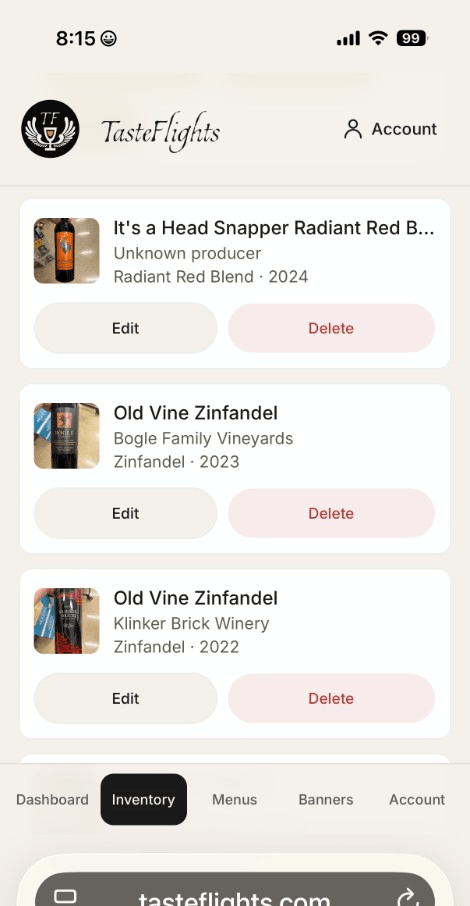
Inventory
Scan labels or add beverages manually with flavor and aroma tags.
Scan a bottle, build a flight, and hand guests a QR code in minutes.
Guests rate pours, save notes to a free journal, and tap through to your club or purchase links anytime.
Free plan, no card required · Pro $19.99/mo with a 14-day trial
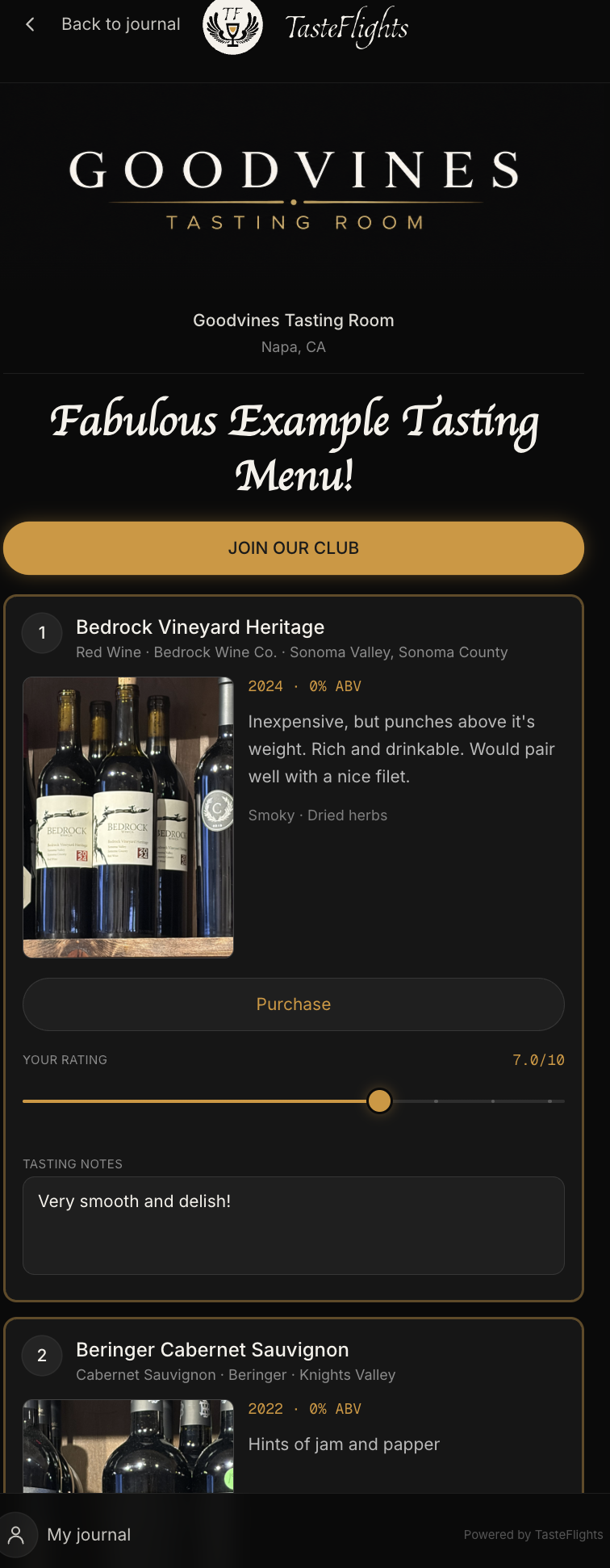
The same screens your team builds and your guests scan — framed the way they appear in the tasting room.
Inventory
Scan labels or add beverages manually with flavor and aroma tags.
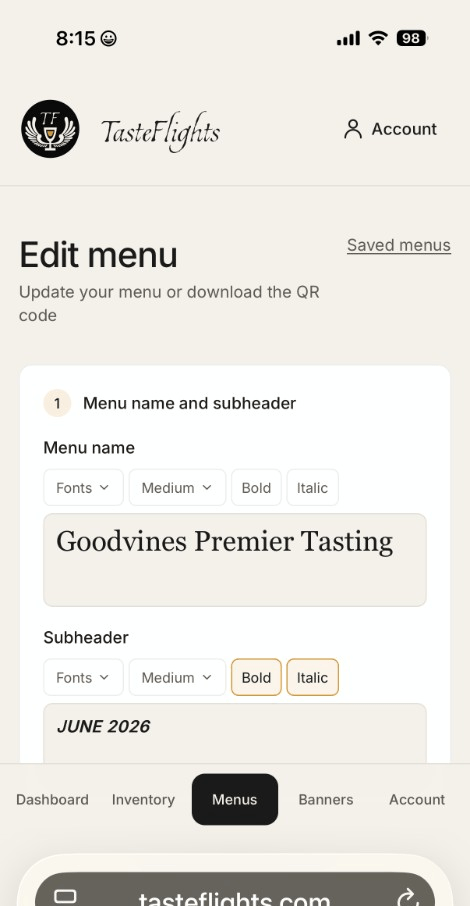
Menu builder
Drag items into order, pick a frame style, and preview on mobile.
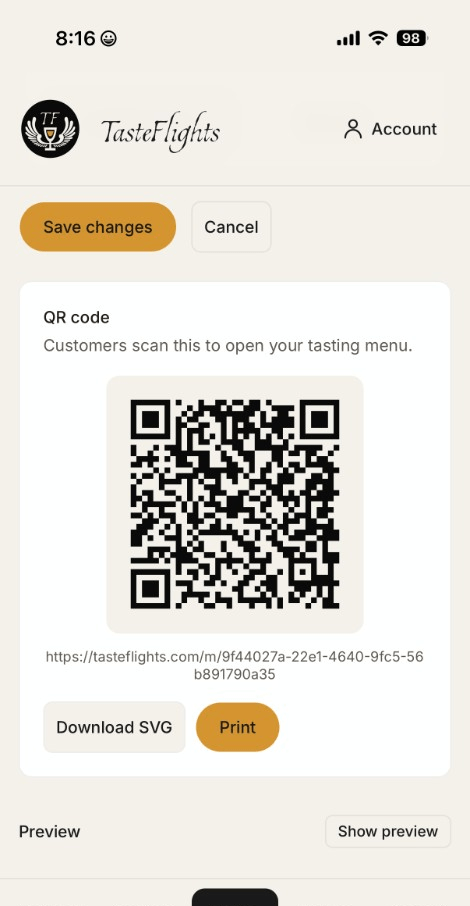
QR code
Download or print a QR code that opens your live tasting menu.
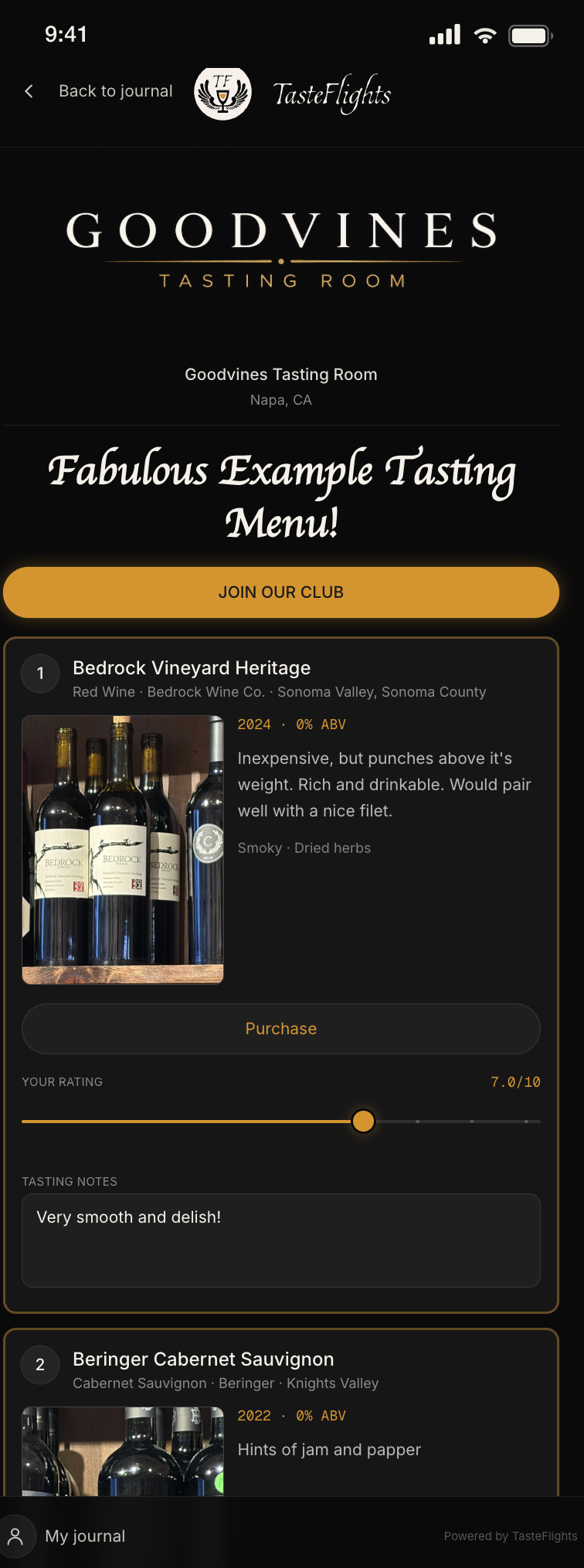
Customer menu
Guests rate pours, leave notes, and save the flight to their journal.
Why TasteFlights?
Guests rate every pour on a 1–10 slider and keep their own notes as they go. It gives them something to do between sips, and it is the moment they start paying real attention to what is in the glass.
Build a separate menu for whatever the day calls for — the Saturday lineup, a club member’s private pour, the barrel sample for table four. Each one gets its own QR code and its own styling, and you can change it between seatings.
Ratings, scans, saves, and club clicks show you which pours land and which ones quietly do not. You see the pattern across every guest — never an individual’s private notes.
Guests save the flight to a free journal that holds on to your branding, your club button, and your purchase links — a snapshot of the tasting and of who poured it. Weeks later, when they are trying to remember the one they liked, they are looking at you.
Pouring more than one maker? A lineup you can change weekly, the producer named on every pour, and a link of your choosing on each one instead of a single button for the whole list.
Pouring your own label? Flights by vintage, a club ask that leaves with the guest instead of ending at the bar, and ratings that tell you which wines actually landed.
Everything in one place
Photograph a bottle label and let AI extract name, producer, vintage, and ABV — then edit before saving.
Build tasting flights with rich menu names, frame styles, and a live mobile preview as you work.
Generate a QR code for every menu — download SVG, print for the bar, or share digitally.
Add a club signup button and per-bottle purchase links so guests can act while the pour is fresh.
Customers save menus to a free journal, adjust ratings later, and revisit every tasting.
See QR scans, saves, club clicks, and aggregate beverage ratings — never individual guest notes.
Join TasteFlights to turn tastings into lasting guest relationships.
Try for free →